any STEP free
- View
- Inspect
- Validate
- AI-Ready
Why Open STEP Viewer
-

Work with AI
Connect your AI agent to the model open in the viewer
-

Validate
Ensure geometry accuracy before production.
-

Stay secure
Keep sensitive CAD data local – no uploads to external servers.
-

Free
No license fees
-

Save time
Load and review even large STEP files in seconds.
-
Work anywhere
Cross-platform compatibility


-
- professional-grade viewer
- lightweight
- free
-
- heavy CAD software
- costs
Supported formats versions
-
STEP
- AP 214
- AP 242 ed.3
- AP 203
- Domain Model (StepX)
IGES 5.3
QIF3
Features
-

MCP Server
- Connect your AI agent
to the open model
- Connect your AI agent
-

Full 3D visualization
- zoom
- pan
- 3D rotate and visual styles
-

Clash Detection
- Detect clashes in a model
-
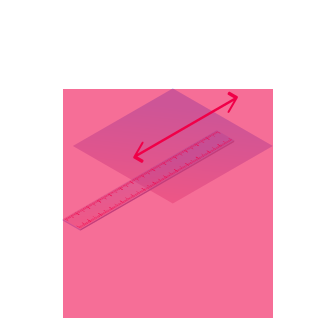
Measurement
- Measure distances
between points
with snapping
- Measure distances
-

Selection & Property Inspection
Isolate/hide selected
objects -

Expandable model hierarchy tree
-

Publish
any STEP model to 3D PDF
-

Validation
SDAI (ISO-10303) and Step
Physical File syntax validation -

Section Planes
For detailed model
inspection -

TreeView plugin
For SDAI model exploration and debugging
STEP Forward Partnership
For manufacturers and supply chain leaders: Solve your STEP challenges with confidence.
Learn MoreAI-ready Try oda mcp servers
Open STEP Viewer includes a built-in MCP server. Connect your AI agent to the open model and let it explore the building, read property sets, analyze geometry and add walls, doors or furniture.
Need the same for your own IFC, STEP or DWG files, or inside your own product? That is what ODA MCP Servers are for.
How to set up Discover ODA MCP ServersRoadmap
-
2024
-
Workplanes for Measurements — Support measurement tools with defined workplanes.
Fly Camera Mode — Enable free-fly camera navigation.
Query Plugin for Tree View — Search for objects by attribute values.
Layers Manager — Manage STEP layers if available
in the file.Extended UIDs Support — Support unique identifiers
for StepX files.
-
Holes Visualization —
Visualize hole details
in models.User-Defined Properties — Display custom properties
in the Properties Tab.Custom AP242 Schemas — Support user-defined AP242 schemas.
Shell Viewer and Curve Dump Plugins — Tools for shell
and curve analysis.BRep Analyzer Plugin — Compare body topology using UUID data, integrated with Tree View.
-
-
2025
-
Angle Measurement — Add tools for measuring angles.
Japanese and German viewer versions release.
-
-
2026
-
MCP Server — Connect AI agents to the open model via the Model Context Protocol.
-
Download
- Windows x64
- macOS 64
- macOS arm64
- Linux
by Open Design Alliance
ODA creates SDKs for building complex CAD & BIM applications quickly and easily.
Since 1998.